Is Your IP Address Your Current Location? IP vs GPS
An IP address gives a website an approximate area, not your position. How that differs from permission-based browser location and GPS, and what a VPN does and does not change.
No. Your IP address is the network address your internet provider (or your VPN) gives your connection, and a lookup table turns it into a rough guess at a place. That guess is usually a region or a nearby city, and it can be wrong. Your device's actual position only reaches a website if you grant permission, and then it is requested from the device rather than looked up from your IP address.
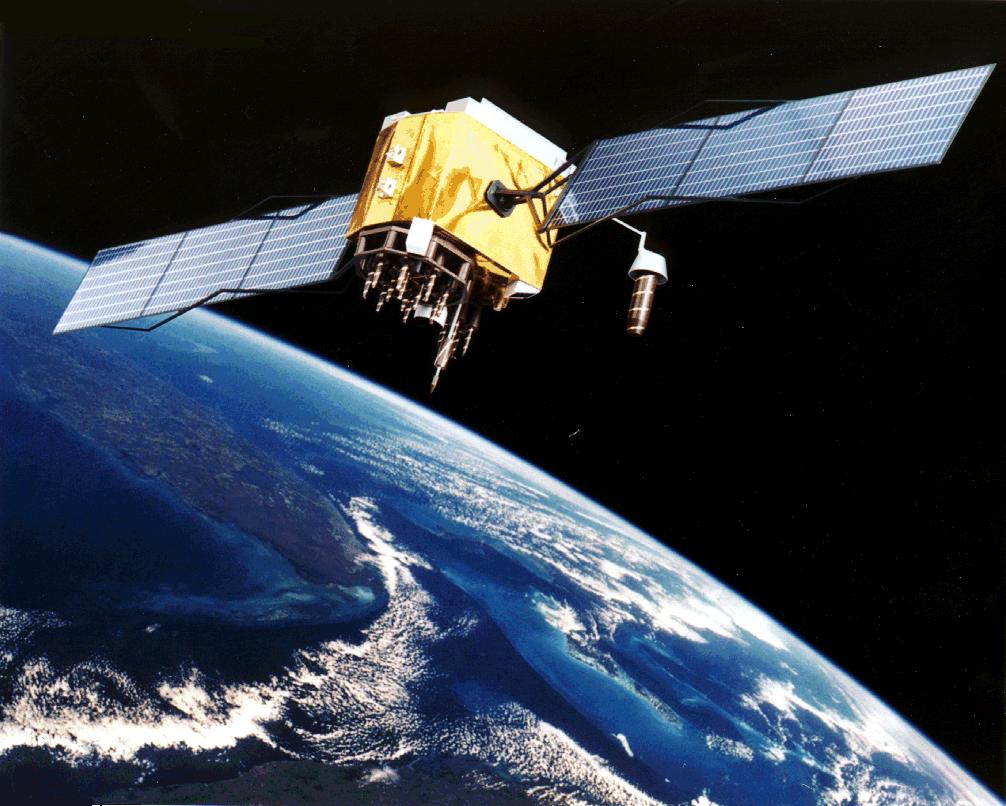
What an IP-based location is, and is not
An IP address says nothing about where you are by itself. Companies that sell IP geolocation data build databases that associate address ranges with places, from various data sources. When a site looks up your address, it gets whatever the database says about that range.
The result is an estimate of a broad area. MaxMind, one of the best-known providers of this data, says IP geolocation accuracy is "not about pinpointing an individual's residence" and that it gives an approximate location rather than a precise one. At city level it reports "typical accuracy rates of 20% to 75%", with larger, denser cities generally more reliable. In other words, the city shown for an IP address is sometimes right and sometimes not, and even a right city is not your street. Country level is much firmer: MaxMind says "Country level accuracy is generally very high, exceeding 99%, especially when excluding VPN usage." Mobile connections are weaker: "Geolocation for mobile devices typically resolves to a broad region, sometimes spanning multiple subdivisions."
That is why you can see "wrong city" results. The database can place the range at your provider's regional hub, or it can be out of date. If that is the problem you are trying to fix, see Why Is My Location Wrong? Causes and Fixes.
How browser location is different
Browsers have a separate feature, the Geolocation API, that lets a page ask the device where it is. MDN explains that "users must grant explicit permission via a prompt" before a page can read it, and that if you accept, the browser "will use the best available functionality on the device to access this information (for example, GPS)." GPS is a satellite signal that a device receives with a built-in chip, which MDN associates with "a GPS chip on a mobile device". A device without that chip, as many computers are, has to rely on other signals, so precision varies by device. A page can ask for a more accurate position, but whether the device can provide one is up to the device, and MDN notes it can cost slower responses or more power. How precise the result is depends on what the device used.
The key difference is who decides. An IP lookup happens on the website's side and needs nothing from you. Browser location only happens when you click Allow. If you want to check what your device reports, the coordinates page shows your latitude and longitude after you grant permission.
IP, browser location and saved places side by side
| Source | Needs your permission? | Typical use | Caveat |
|---|---|---|---|
| IP address | No. The site receives it with every request. | Choosing a language, currency or local results before you have shared anything. | Approximate area only; reflects the network (or VPN server), not you. |
| Browser location (device sensors, such as GPS) | Yes, through a browser prompt, on secure (HTTPS) pages. | Maps, store finders, "near me" results. | A page can ask for higher accuracy, but the device decides what it uses. Many computers have no GPS chip, so precision varies. |
| Account or saved places | Set up earlier by you. | Home and work addresses used for local results. | Reflects where you said you live, not where you are now. |
What sites can see without asking, and with permission
Without permission, a website can see your IP address, because it needs it to send the page back to you. From that, it can estimate a general area. Google describes this in its help page on managing your location in Search: IP addresses are "roughly based on geography," and when that was the source, the results page says "From your internet address". The same page says your exact location is used only if you grant location permission to google.com or Google apps.
Google also lists other inputs that feed its estimate, including your device location, home and work addresses saved in your account, and your previous activity. Google's page does not discuss VPNs, but those inputs are separate from your IP address, so a VPN does not hide them. If Google seems to know where you are with a VPN on, check the site's location permission and the home and work addresses saved in your Google account.
With permission, a site gets coordinates, which are far more specific than a city. You control that choice per site, and you can revoke it in your browser's site settings.
What a VPN changes, and what it does not
A VPN replaces the address websites see. MaxMind notes that VPNs and proxies "intentionally mask a user's true IP address" and that in these cases "the geolocated IP address belongs to the proxy or VPN server." So an IP lookup will point to the VPN server's area, which is why a VPN can move your IP-based location to another city or country.
A VPN does not change the position your device reports once you have granted permission. On a phone with GPS, the coordinates the browser reports come from the device. A laptop or desktop without GPS relies on other signals, and depending on the browser, those may still be influenced by your network. Sites that compare the two can see an IP in one place and coordinates in another. Saved account addresses and past activity are not affected by the VPN either.
To stop a site seeing your position, change the location permission for that site: the padlock or site-settings icon in the address bar, or the Site settings section of your browser's privacy settings. Blocking location permission does not change the IP-based estimate, because the site still receives your IP address with each request. A VPN only changes that IP-based result.
What mylocationis.com does
This site does not look up your IP address to guess a location. When you press a button, your browser asks for permission, and only then does the page receive your position from the device. The comparison against boundary data happens in your browser. Like any web host, ours receives your IP address with each request; the privacy policy explains what that does and does not include. You can also decline and type coordinates or a ZIP code instead, from the home page.
If you want your city or state from your device position, try What City or Town Am I In? or What State Am I In?.
Where the figures come from
- MaxMind, IP geolocation accuracy. Checked 9 November 2026.
- MDN, Geolocation API. Checked 9 November 2026.
- Google Search Help, Understand & manage your location when you search on Google. Checked 9 November 2026.
- Wikimedia Commons, GPS Satellite NASA art-iif.jpg (NASA, public domain in the United States).

About this page
Maintained by the mylocationis.com editors. Last reviewed . Spotted a mistake? Use Contact and say which page.